
THE CONNECTED MESS
Less fragmented work. More clarity at every meal.
The meal pass, the owner workspace and the delivery route belong to the same system. Not three different registers.
THE EVERYDAY TOOLKIT
More than a meal counter.
Explore the parts of MessPass that keep a recurring meal service connected.
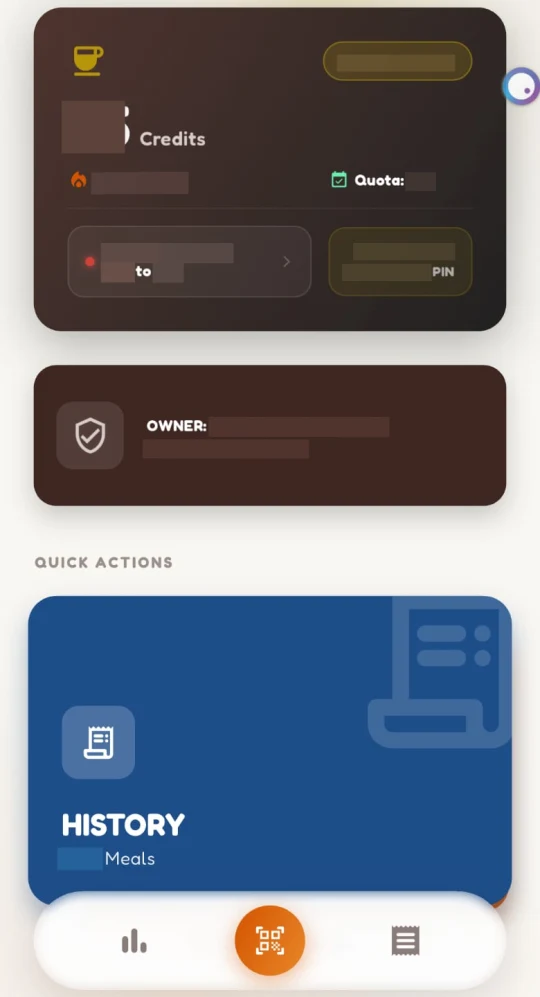
Know what your next meal uses.
Keep the meal pass, regular credits and meal history together. QR or PIN starts a check-in; the final confirmation counts the meal.
- Plan-linked entitlements
- QR or PIN confirmation
- A history to refer back to
Read the full feature guide
Know what your next meal uses.
Keep the meal pass, regular credits and meal history together. QR or PIN starts a check-in; the final confirmation counts the meal.
Plan-linked entitlements · QR or PIN confirmation · A history to refer back to
Choose the plan your mess actually serves.
Discover your mess and choose from its available plans. Breakfast has a separate entitlement and stays dine-in—it is not a regular or bonus-credit top-up.
Mess-specific plans · Separate breakfast entitlement · Review the actual checkout total
Tell the mess when you will be away.
Declared personal leave pauses meal issuance and delivery during the pilot. A mess holiday or a closed weekday is not a consumed meal.
Mess-configured weekly closures · Declared leave blocks meals and delivery · No automatic personal-leave penalty in the pilot
See the menu. Keep the conversation going.
Follow the published menu and the polls your mess makes available. Completed deliveries have their own feedback flow, separate from food feedback.
Published daily menu · Mess polls where offered · Food and delivery feedback stay separate
Follow the dabba from your own mess.
TimeTruce brings your mess’s delivery updates into one view. See who is delivering, follow the current state and check when tracking was last updated.
Mess-associated workers and routes · Share the PIN after collection · Failed or owner-skipped deliveries do not consume meal credits
Start a question with the right record.
Use meal and transaction history when raising a question. In-app support connects the issue to the account; sensitive adjustments require authorized approval.
Meal and transaction history · In-app support conversations · Owner workspace for daily exceptions